 Jam Jam
Free · works in your browser · a free account keeps your songbook in sync
Make a karaoke from your own songs
To make a karaoke with Jam Jam, add a song to your songbook with its lyrics and its track, start the lyrics sync, then open karaoke mode: words light up as the music plays, with the chords underneath. You can also export an MP4 karaoke video, on the web as in the app.
Free account required: the karaoke starts from a song in your songbook.
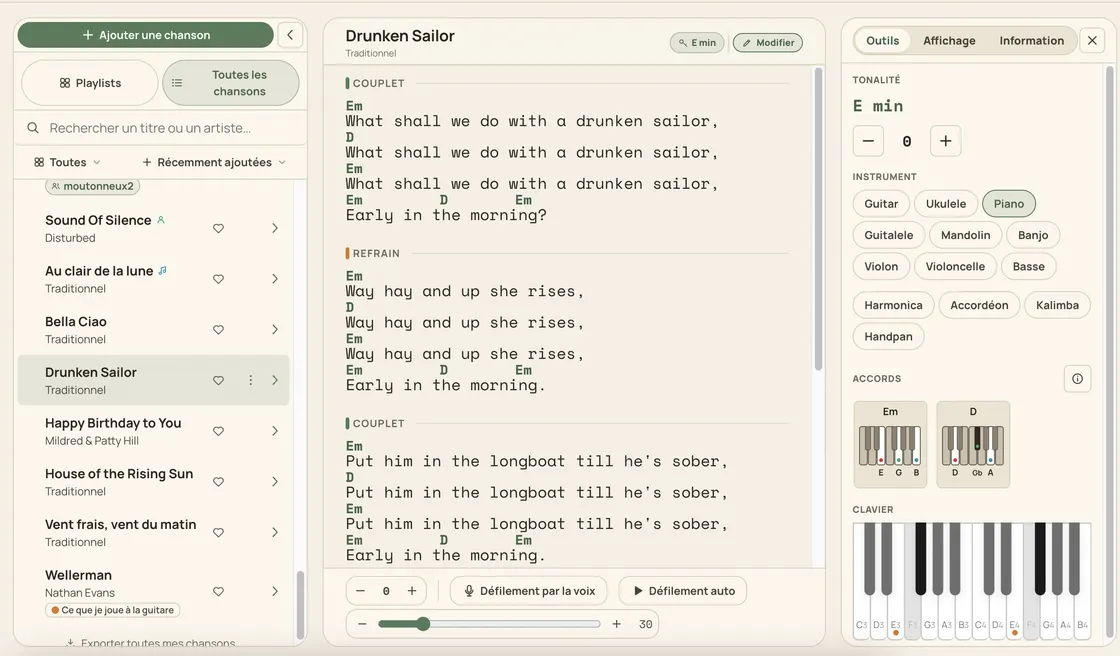
Jam Jam karaoke at a glance
- The lyrics are yours: those of the song in your songbook.
- Sync: the audio is transcribed to get the timings, then your lyrics are aligned to them.
- Karaoke mode on the web, Android and iOS (TestFlight beta), full screen.
- MP4 karaoke video rendered on our server, from the web as from the app.
- Free account: 15 exports per week, counter reset on Monday.
How to make a karaoke from your songs
-
Put the song in your songbook
Import it, paste it or type it: the karaoke shows the lyrics saved in the song.
-
Add its track
In the song’s Audio tab, add the audio file you are allowed to use.
-
Sync the lyrics
Start the sync between lyrics and audio: Jam Jam lines up each line with the music.
-
Sing, or export the video
Open karaoke mode full screen, pick a mood, or export an MP4 video to send.
Where the karaoke lyrics come from
Jam Jam karaoke brings no lyrics of its own: it shows those of the song in your songbook, whether you imported, pasted or typed them. If the song has no lyrics, the audio can be transcribed to suggest some; either way, you decide what text is shown.
How the lyrics are synced to the music
To sync lyrics, Jam Jam first transcribes the track to get time-stamped words, then keeps only the timings and aligns your songbook text to them. The transcribed text is not written into your song when it already has lyrics. This runs on our server in France: the file is neither published nor tied to your account, and it is deleted after processing.
Full-screen karaoke or MP4 karaoke video
Karaoke mode plays live: full screen, several visual moods, the chord diagrams for your instrument scrolling underneath, so a whole band can follow one screen. The karaoke video is an MP4 file rendered on our server, to send or project without Jam Jam.
| Platform | Karaoke mode | MP4 video |
|---|---|---|
| Web | Yes | Yes, direct download |
| Android app | Yes | Yes, save to a folder or share |
| iOS app (public beta on TestFlight) | Yes | Yes, through the share sheet |
Free karaoke: what the free account includes
Karaoke mode comes with the free account, like the 50-song songbook. Each exported karaoke video counts as one export: 15 per week for free, counter reset on Monday; Premium makes them unlimited.
A karaoke made from your own songs, with the chords under the lyrics: that is what helps when rehearsing with a band, a choir or friends.
Open my songbook →More Jam Jam tools
Karaoke FAQ
How do I make a karaoke of any song?
Put the song in your Jam Jam songbook with its lyrics, add a track you are allowed to use, start the sync, then open karaoke mode or export an MP4 video.
Does Jam Jam provide song lyrics?
No. The karaoke shows the lyrics of your song, as they are in your songbook. Without lyrics, the audio can be transcribed to suggest some.
Can I download the karaoke video?
Yes, as MP4: direct download on the web, save to a folder or share on Android, share sheet on iOS.
Is my audio file kept?
The file sent for the sync or the video is processed on our server in France, is neither published nor tied to your account, and is deleted after processing.
Is the karaoke free?
Yes, with a free account. Exported videos count towards the 15 exports per week; Premium makes them unlimited.