 Jam Jam
Free · works in your browser · no sign-up
MIDI keyboard online
To play a MIDI keyboard in the browser, plug it in over USB, open the Jam Jam keyboard in Chrome or Edge and allow MIDI access. Keys are read with their velocity, the sustain pedal (CC64) works, and a keyboard plugged in mid-session shows up without reloading the page.
Free, no account. Chrome or Edge for MIDI; otherwise your computer keyboard plays too.
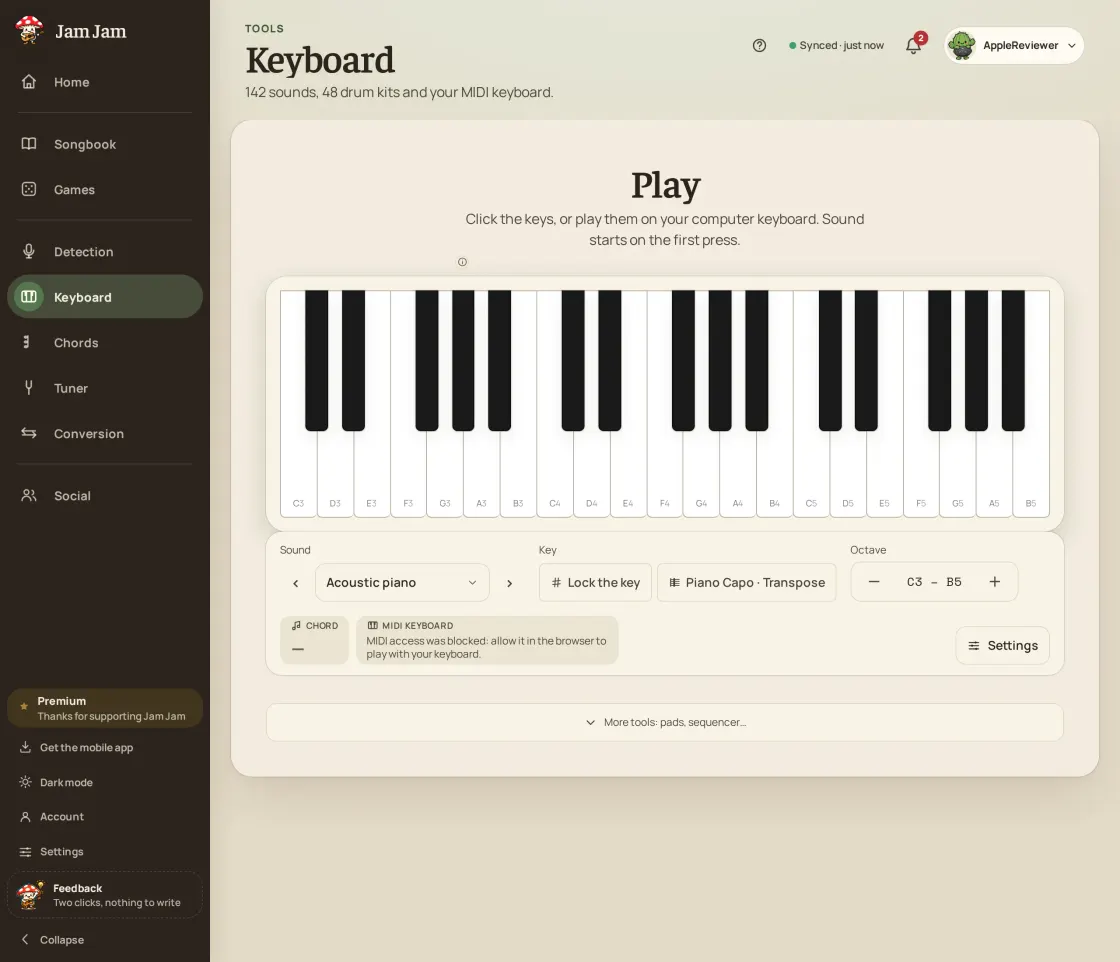
The online MIDI keyboard at a glance
- Web MIDI: Chrome and Edge on desktop. Safari and Firefox do not expose MIDI to the page.
- Velocity read on every note, in normal, inverted or fixed mode.
- Sustain pedal (CC64) supported; other controllers can steer settings.
- Hot-plugging: a device plugged in or out is seen without reloading the page.
- 142 keyboard sounds, 19 of them free, and 48 drum kits for the pads.
How to connect a MIDI keyboard to your browser
-
Plug the keyboard in over USB
Connect the keyboard to the computer with its USB cable. Most recent keyboards work without a driver (class-compliant USB MIDI).
-
Open the keyboard in Chrome or Edge
Go to jam-jam.org/app/clavier. Web MIDI needs a secure page (https), which this is.
-
Allow MIDI access
The browser asks permission to use your MIDI devices: accept. Jam Jam does not request “sysex” access, only notes and controllers.
-
Play
Your keyboard’s name appears. With several devices plugged in, pick the one that plays. Change the sound, use the pedal, show a scale.
Which browsers support an online MIDI keyboard
An online MIDI keyboard relies on the browser’s Web MIDI API. Chrome and Edge offer it on desktop; Safari does not, and Jam Jam treats Firefox the same way. When the browser has no Web MIDI, the Jam Jam keyboard says so plainly and stays playable from the computer keyboard: the middle row gives the white keys, the row above the black keys.
| Platform | MIDI keyboard | Note |
|---|---|---|
| Chrome, Edge (desktop) | Yes, Web MIDI | Permission asked once |
| Safari, Firefox | No | Computer keyboard instead |
| Android app | Yes, native module | USB keyboard (OTG or USB-C cable) |
| iOS app (public beta on TestFlight) | Yes, native module | Devices recognised by iOS (CoreMIDI) |
MIDI keyboard not detected in the browser: what to check
If the Jam Jam keyboard shows “No MIDI device detected”, check the cable first: some USB cables only carry power. Then close other software that may hold the MIDI port (a music app, another tab), and unplug and replug: the device comes back without reloading the page.
If you denied permission, the keyboard says so: allow MIDI again in the site settings (the icon left of the address). An older keyboard with a five-pin MIDI port goes through a USB-MIDI interface; if the computer does not see it, install its maker’s driver.
Latency of an online MIDI keyboard
Latency of a MIDI keyboard in the browser comes mostly from the computer’s audio output, not from MIDI. Jam Jam triggers the sound straight from the MIDI message, without going through the display. To lower it further: use wired headphones rather than Bluetooth, close heavy tabs, and run the audio latency calibration found in the web app settings.
Playing a MIDI keyboard on a phone or tablet
On mobile, the browser is not enough: the Jam Jam app reads the keyboard through a native module. On Android, plug in a USB keyboard with an OTG or USB-C cable; on iOS, the app is in public beta on TestFlight and reads MIDI devices recognised by the system. In the app, a connected keyboard also unlocks the “Learn piano” exercise.
The Jam Jam online MIDI keyboard needs no install and no account: one cable, Chrome or Edge, and 142 sounds are under your fingers, with the drum pads and the metronome on the same page.
Open the keyboard →More Jam Jam tools
Online MIDI keyboard FAQ
Can you connect a MIDI keyboard to a website?
Yes, in Chrome and Edge on desktop, through the Web MIDI API. Open jam-jam.org/app/clavier, allow MIDI access when the browser asks, and play: velocity and the sustain pedal are taken into account.
Why does my MIDI keyboard not work in Safari or Firefox?
Safari does not expose Web MIDI to pages, and Jam Jam does not use it in Firefox either. Open the page in Chrome or Edge, or use the Android app. Meanwhile, the computer keyboard plays the notes.
Do I need to install a driver?
Not for most recent USB keyboards, which Windows, macOS and ChromeOS recognise natively. An older USB-MIDI interface or a specific keyboard may need its maker’s driver.
Does the sustain pedal work?
Yes. Jam Jam reads controller 64 (sustain) sent by the keyboard: notes are held while the pedal is down, and an indicator lights up in the online keyboard.
Is the online MIDI keyboard free?
Yes, with no account and nothing to install, with 19 free sounds out of 142. The other sounds are part of Premium.