 Jam Jam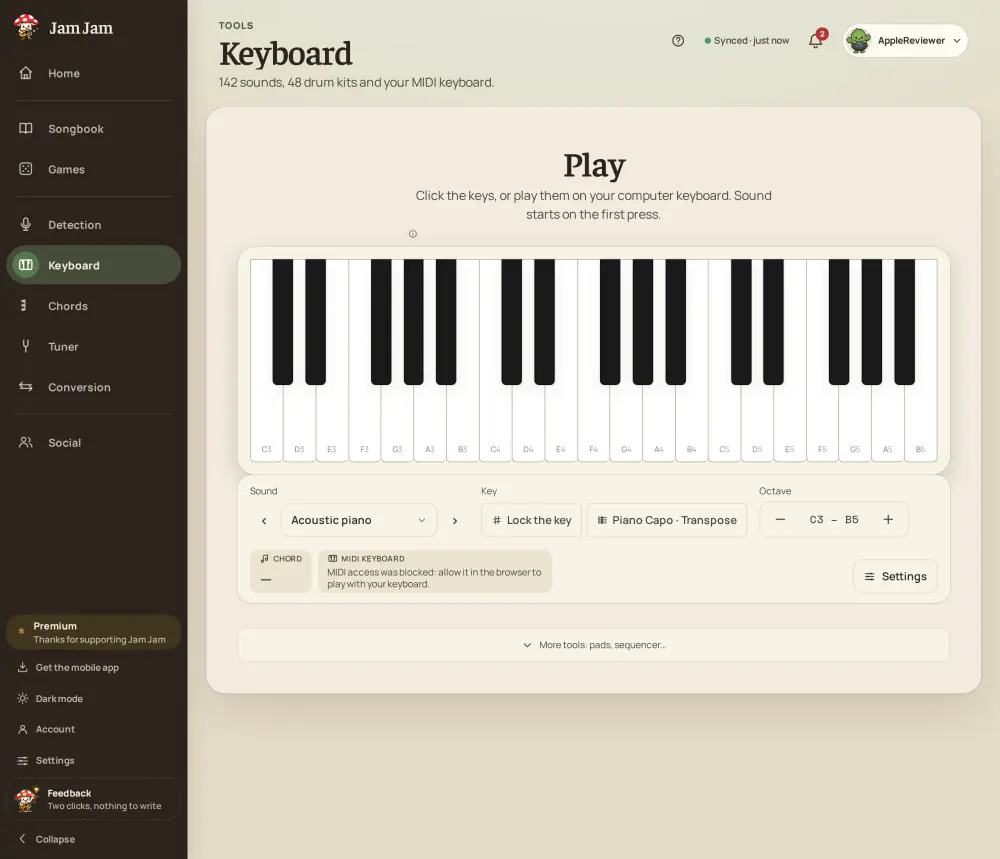
Four ways to play, one virtual piano
Click the keys with your mouse, tap them on a touchscreen, or use the rows of your computer keyboard to play across several octaves without touching a mouse at all. Own a USB MIDI keyboard? Plug it straight into the browser and it plays with velocity and a working sustain pedal, no extra setup.
Chords with one key, scales lit up for you
Turn on chord mode and a single key sounds a full major, minor or seventh chord, which makes learning a progression a matter of following a few keys rather than three fingers at once. Pick a scale and the matching notes light up on the keyboard, so improvising stays in key even before you know why.
A sound for every song, then keep playing on the phone
Choose from 142 instrument sounds across 17 families (19 of them free): piano, organ, strings, brass and more, to match whatever you are learning. The same virtual piano, with the same sounds, is also the Jam Jam Android app, where it keeps working offline.
The keyboard’s sound catalogue got a full overhaul: 142 sounds, real instrument ranges and a new capo.

Open the virtual piano and start playing: