 Jam Jam
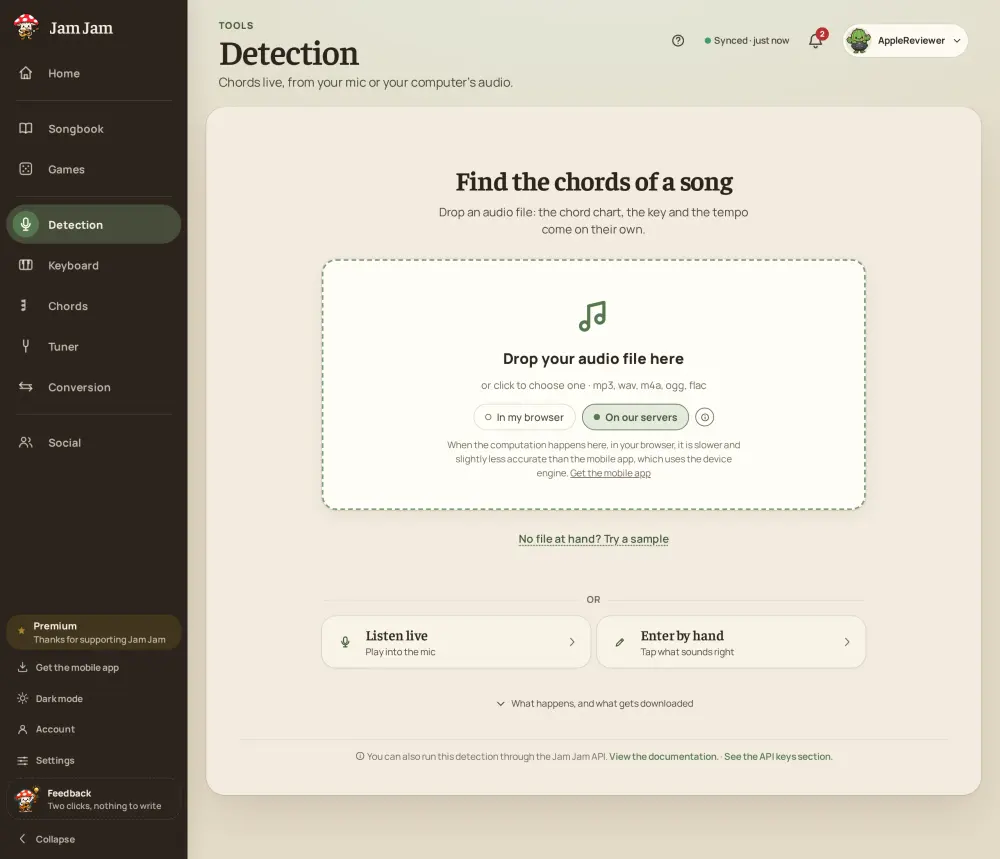
Method 1: drop the audio file
This is the fastest way if you have the song as a file. Open Jam Jam Detection and drop an mp3, m4a, wav or flac. A chord model goes through the whole track and returns the chords time-stamped on a timeline, with the key and the tempo (BPM), among 168 chords (14 qualities across the 12 keys). Tap a chord and playback jumps there, so you check each passage by ear. It is free, needs no account and has no limit: your browser does the calculation, and if our server is free, it takes over to go faster. A file handled by the server is deleted at the latest within 72 hours.
Method 2: play into the mic or let a browser tab play
No file? Play the song on your guitar or piano in front of the microphone and Jam Jam names each chord live. Your microphone is never sent anywhere: the sound is analysed in your browser. To follow a song or a video that plays on your computer, pick the sound of a browser tab instead of the microphone (on desktop browsers that allow it). Detection does not download videos and does not analyse a YouTube link: it listens to the sound.
Method 3: import a tab or a PDF
If a chord sheet already exists, import it. Jam Jam brings in songs from a link, an online search across 27 tab sites, a PDF (or, on your phone, a photo), then cleans them up into a tidy chord-and-lyrics view you can play from with auto-scroll. The chords are those of the sheet you found, so check them against the recording.
Method 4: search online and keep everything in your notebook
Search online and save what you find to your chord notebook. Everything stays in one place, in sync across your phone and the web, ready to play with its diagrams, one-tap transposition and a capo worked out for you. A chord found with Detection can be sent to the same notebook, which needs a free account to sync.
Which method should you pick?
With an audio file, start with method 1: it gives chords, key and tempo in one pass, without typing anything. Without a file, play along with method 2. If you prefer a written chord sheet, use method 3, then compare it with the recording. Whatever the method, trust your ear on the final result: a detector, like a chord sheet, can be wrong on a dense mix or a rare chord.
Finding the chords of a song: FAQ
How do I find the chords of a song for free?
Drop the audio file into Jam Jam Detection: it returns the time-stamped chords, the key and the tempo, for free and with no account, in your browser. Without a file, play into the mic, or import a tab.
Can I find the chords from an mp3 file?
Yes. Drop the mp3 (or an m4a, wav, flac) into Detection. Your browser does the calculation, with no limit; if our server is free, it takes over to go faster, and the file is then deleted as soon as the analysis ends.
How do I find the key of a song?
The same analysis gives it: Detection shows the estimated key together with the chords and the tempo. It is an estimate, to check by ear, especially if the song changes key.
Can I find the chords of a video?
Yes: play the video in a browser tab and pick that tab’s sound in the mic tab of Detection (on desktop browsers that allow it). Or extract the audio from the video and drop the file.

Drop a song and find its chords, key and tempo with free chord detection: