 Jam Jam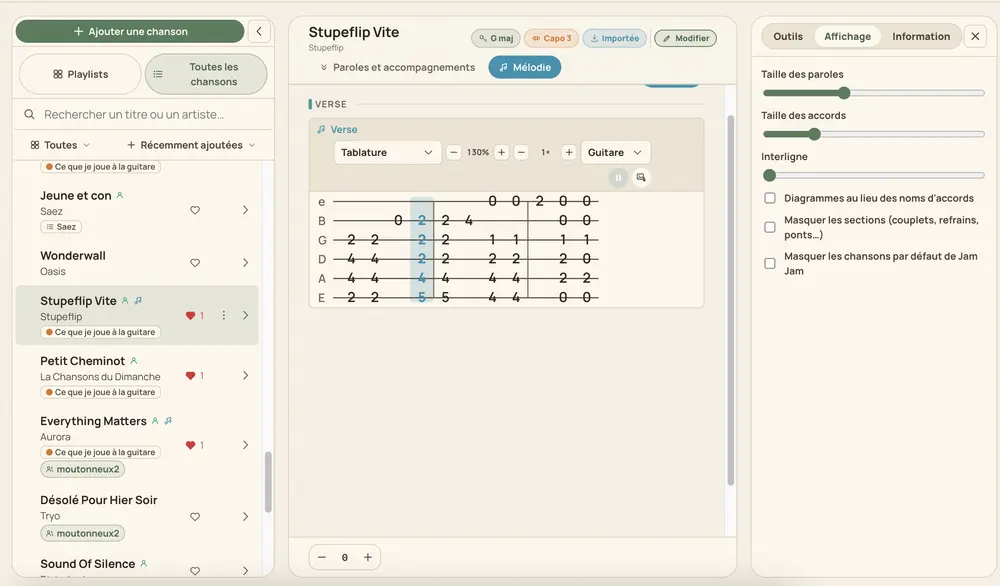
The AI follows the pitch, note by note
Jam Jam decodes your recording and tracks the pitch through it, segmenting the result into individual notes the same way it does when you sing or play live into the microphone. The output is a real melody track, not a rough sketch: it plays back, transposes, and displays as tab, staff, falling notes and more.
Built for one voice or one instrument, not a full mix
This works best on a single melodic line: a guitar solo, a whistled tune, a voice memo of yourself singing a verse. Drop in a full commercial mix (drums, bass, chords and vocals all at once) and there is far more to untangle, and the result gets noticeably rougher, the same way any pitch-tracking technology would struggle there. Isolate the line first (hum it, play it alone, or use a clean take) for the tab you actually want.
Straight into a tab you can play
Once extracted, the melody drops into your songbook and reads as a guitar or bass tab (with the true tuning of 18 instruments), a staff, falling notes, or one of several other views, ready to transpose and practise at your own tempo.

Extract a melody from your own recording: