 Jam Jam
Free · works in your browser · no sign-up
Free online oud tuner
A tuner with the two real oud tunings, Arabic and Turkish, right in your browser.
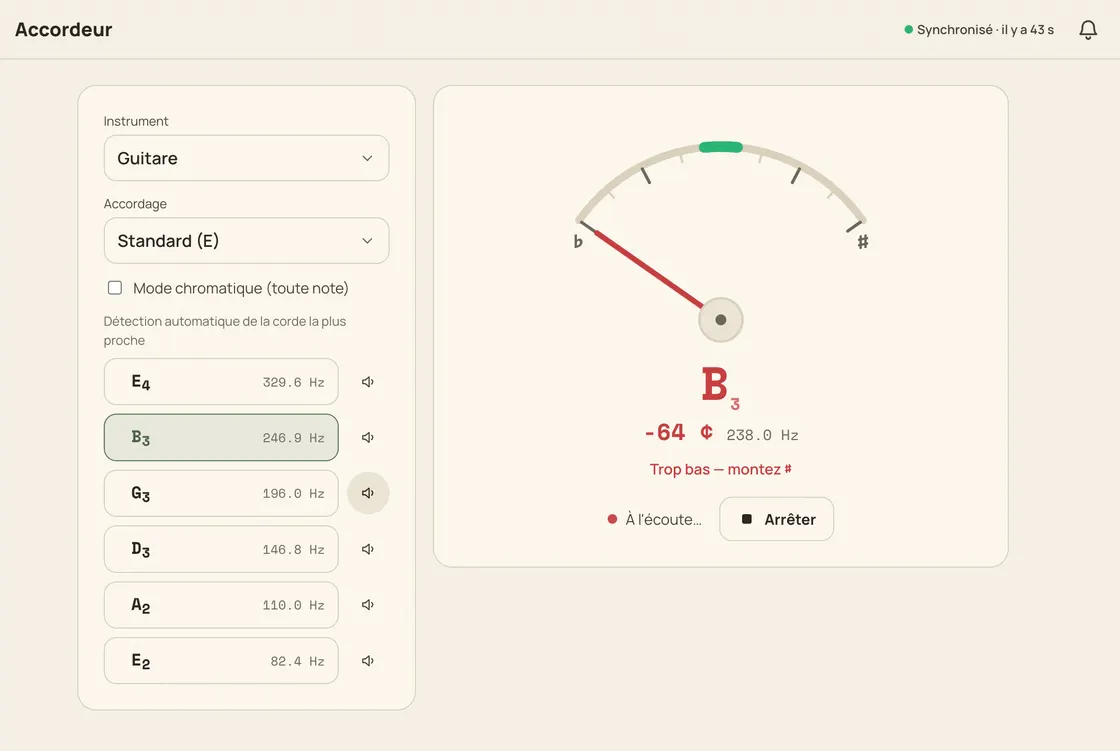
The Jam Jam oud tuner listens through your microphone and tells you, in real time, which note is sounding and how far sharp or flat you are. Two presets: the Arabic standard C2, F2, A2, D3, G3, C4, and the Turkish tuning D2, G2, B2, E3, A3, D4, a whole tone higher with a different interval pattern. In-tune zone at ±5 cents, cents to the unit, frequency to a tenth of a hertz.
How to tune an oud
-
Allow the microphone
Open the tuner, pick Oud and grant mic access: the audio is analysed on your device, nothing is uploaded.
-
Pick Arabic or Turkish
Choose the preset that matches your school and strings; the six targets change with it.
-
Tune from the low course up
Pluck the lowest course open, centre the needle, then move up. The tuner locks onto the nearest course by itself.
-
Match the pair by ear
Tune one string of a course with the needle, then bring its twin onto it until the beating stops.
A tuner that knows both oud traditions
Arabic C-F-A-D-G-c
The most common modern tuning, from the low C2 to the high C4, declared as the default preset.
Turkish D-G-B-E-A-d
A separate preset for the Turkish tuning, so you never have to shift Arabic targets by ear.
Reference note in a oud voice
Every string plays its target note with a real oud timbre, so you can check a string by ear before touching the peg.
Auto, manual or chromatic
It locks the nearest string by itself; one tap freezes a string, another returns to auto. Chromatic mode covers anything outside the presets.
Why this oud tuner
- Arabic standard and Turkish tunings built in
- ±5 cents to be in tune, cents to the unit and hertz to a tenth
- 100% free, in your browser, no sign-up and no ads
- Everything is computed on your side: nothing is uploaded

A single-purpose tuner site stops the moment you are in tune. Here the tuner is one tab among others in the Jam Jam notebook: import a song, transpose it, export it to PDF. Offline in the mobile app.
Open the tuner →More Jam Jam tools
Oud tuner FAQ
Is this oud tuner free?
Completely: no account, no ads, nothing to install. It all runs in your browser, and the microphone audio is analysed on the spot. It is never sent to a server.
Which oud tuning should I use?
If you follow the Arabic tradition, start with C-F-A-D-G-c. Turkish players use D-G-B-E-A-d. Jam Jam has both as presets; pick the one your teacher or strings assume.
Does the tuner handle fretless intonation?
It reads whatever pitch you play, open or stopped, so you can check a stopped note against the needle. The presets target the open courses.